

7 Best WordPress Redirect Plugins To Easily Manage and Fix Broken Links
Broken links can quietly harm your website by frustrating visitors and lowering your search rankings. Every time a page moves or gets deleted, users might land on an error page instead of where they expected to go. That’s where using the right WordPress redirect plugins can make a big difference. These tools help you easily set up redirects so users and search engines always find the right page. Whether you manage a small blog or a large business site, keeping redirects organized ensures a smooth browsing experience. Let’s explore some of the best plugins that make fixing broken links simple and reliable.
Explore our stunning collection of responsive WordPress themes designed to deliver flawless performance and beautiful layouts on every device.
What Are Redirection Plugins?
Redirection plugins are tools that help you guide visitors and search engines from one URL to another without showing an error page. They’re especially useful when you change your website’s structure, delete old posts, or move content to a new link.
Instead of users seeing a “404 Page Not Found,” they’re smoothly redirected to the right page, keeping their experience uninterrupted. Many WordPress redirect plugins also track broken links and let you manage different types of redirects, like 301 or 302, with just a few clicks.
This makes website maintenance much easier, especially for non-technical users. Regularly using these plugins not only prevents visitors from leaving but also helps search engines understand your site’s updated structure.
In short, they keep your website healthy, organized, and SEO-friendly. With so many reliable options available today, it’s much simpler to fix broken links and maintain a professional, user-friendly website.
Why Use WordPress Redirection Plugins?
Using WordPress redirect plugins is one of the easiest ways to keep your website smooth and error-free. Whenever a page link changes or an old post gets removed, visitors might end up on a broken page.
That small error can push them away and hurt your site’s reputation. Redirect plugins solve this by automatically sending visitors to the correct page instead. They also help search engines understand your site’s new structure, which protects your SEO rankings.
Many of these plugins even track 404 errors, so you can fix them before they cause problems. For anyone managing a growing website, keeping redirects organized saves both time and effort. It also helps build trust since users can move around your site without hitting dead ends.
In simple words, WordPress redirect plugins act like quiet helpers working in the background to keep your website healthy and your visitors happy.
7 Best WordPress Redirect Plugins
Redirection

Redirection is one of the best and reliable WordPress redirect plugins. It’s completely free and ideal for anyone who wants to manage redirects without touching any code.
The plugin lets you easily create and manage 301 redirects, track 404 errors, and even use regular expressions (regex) for advanced rules. What makes it impressive is how it handles large websites smoothly without slowing them down.
Beginners love its simple dashboard, while developers appreciate the control it offers. On the downside, the setup can feel slightly overwhelming at first for non-technical users.
Still, once you get used to it, Redirection becomes a powerful tool that keeps your site organized and your visitors properly guided. It’s regularly updated and trusted by millions of WordPress users, making it one of the best choices for maintaining healthy site links and improving SEO performance effortlessly.
Tip: If you’ve made an accidental edit and need to fix it, learning how to undo the theme editor change in WordPress can help you quickly restore your website to its original state.
Simple 301 Redirects

The Simple 301 redirects plugin is perfect for those who want a quick and easy way to manage redirects without complicated settings. Among the many WordPress redirect plugins, Simple 301 Redirects truly lives up to its name; it’s simple, lightweight, and effective.
It’s mainly designed for small websites or users who just need to fix a few broken links. You can set up 301 redirects in seconds through a clean, minimal interface. It doesn’t overwhelm you with extra features, which makes it great for beginners.
However, it lacks advanced tracking or automation tools found in larger plugins. Still, for websites that don’t need complex redirection rules, it’s a time-saving solution that just works.
The plugin ensures users are smoothly redirected to the correct page, keeping their browsing experience intact. In short, it’s a no-fuss option that handles the basics very well and helps maintain your website’s reliability.
Rank Math SEO
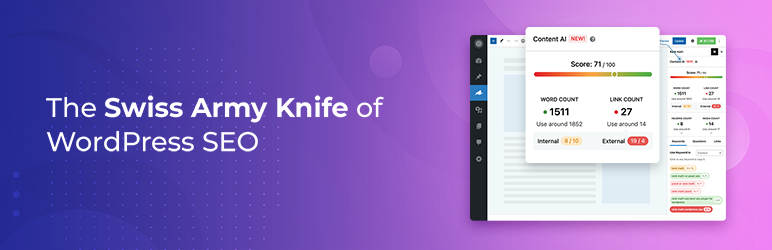
Rank Math SEO isn’t just a powerful optimization plugin; it also includes one of the most efficient redirection managers. For users looking for an all-in-one solution, this tool is a great choice among WordPress redirect plugins.
It automatically detects when a page URL changes and creates a redirect instantly, saving you from manual work. The redirection module supports advanced rules, custom conditions, and detailed logs, making it ideal for both beginners and professionals.
You can easily manage 301, 302, 307, and even custom redirects from one dashboard. Its clear interface makes handling even large-scale websites simple.
While it’s feature-rich, beginners might find its settings slightly overwhelming at first. Still, the automation and precision it offers are worth it. Rank Math also integrates redirects with SEO analysis, ensuring your site stays optimized and user-friendly.
Yoast SEO Premium

Yoast SEO Premium is widely known for its optimization tools, but its built-in redirect manager is just as useful. Whenever you delete or change a page’s URL, Yoast automatically prompts you to create a redirect, ensuring visitors never face a broken link.
That small yet smart feature makes it one of the most dependable WordPress redirect plugins for everyday use. Users can easily manage different types of redirects, 301, 302, and 307, and monitor their status without needing extra tools.
The interface is simple enough for beginners while still offering flexibility for professionals. However, since this feature is available only in the premium version, it may not fit every budget.
Despite that, Yoast’s redirection manager works flawlessly in the background, maintaining SEO value and keeping your site organized.
WP 404 Auto Redirect to Similar Post

This plugin takes a unique approach compared to other WordPress redirect plugins. Instead of simply sending users to the homepage when a 404 error occurs, it smartly redirects them to a similar post or page.
That thoughtful feature keeps visitors engaged and helps reduce bounce rates. It’s especially useful for blogs or news sites where articles often change or get deleted. The setup is simple; once activated, the plugin automatically detects missing URLs and redirects users to the closest match.
While it doesn’t include manual redirect controls or detailed tracking, its automatic redirection feature works like magic for maintaining a smooth browsing experience.
The biggest advantage is that your visitors will rarely see broken pages, which improves SEO indirectly. And, it’s lightweight, fast, and works silently in the background, making it a great pick for anyone who values automation and ease of use.
Safe Redirect Manager

For those managing larger websites or enterprise-level projects, Safe Redirect Manager is a strong and secure option. It focuses on performance and stability, making it one of the most trusted WordPress redirect plugins among developers.
It allows you to handle HTTP status codes precisely and set custom redirect rules without slowing down your site. The interface is simple yet professional, letting you manage a large number of redirects efficiently.
Unlike some plugins, it doesn’t add unnecessary features, keeping everything clean and focused on speed. While it might feel a bit technical for casual users, developers appreciate its reliability and flexibility.
The plugin integrates smoothly with WordPress multisite setups, too, making it ideal for larger operations. This plugin is maintained by top developers and follows WordPress coding standards closely, ensuring long-term safety and compatibility.
All in One SEO

All in One SEO is another well-known plugin that includes a powerful redirect manager built right in. It allows you to easily create and manage redirects without installing extra tools, which is why it’s often mentioned among the top WordPress redirect plugins.
The interface is beginner-friendly, and the plugin automatically handles redirects when a post’s URL changes or gets deleted. It supports 301, 302, and 307 redirects, along with advanced options like redirection logs.
One of its biggest strengths is how it combines SEO insights with redirect management, helping you fix broken links while keeping your rankings stable. Though some features are locked behind the pro version, even the basic tools are reliable and easy to use. '
Conclusion
Choosing the right WordPress redirect plugins can make managing your website much simpler and less time-consuming. When broken links are handled efficiently, your site stays organized, visitors enjoy a smooth browsing experience, and your SEO performance remains strong. Not every plugin works the same way, so trying a few options can help you find one that fits your workflow and technical comfort level. Over time, using these tools consistently ensures that users rarely encounter errors, making your site feel professional and reliable.
Blog Categories
WordPress Theme Bundle

Our Best Selling Themes

